

Staying Safe Online: Cybersecurity Tips for Seniors
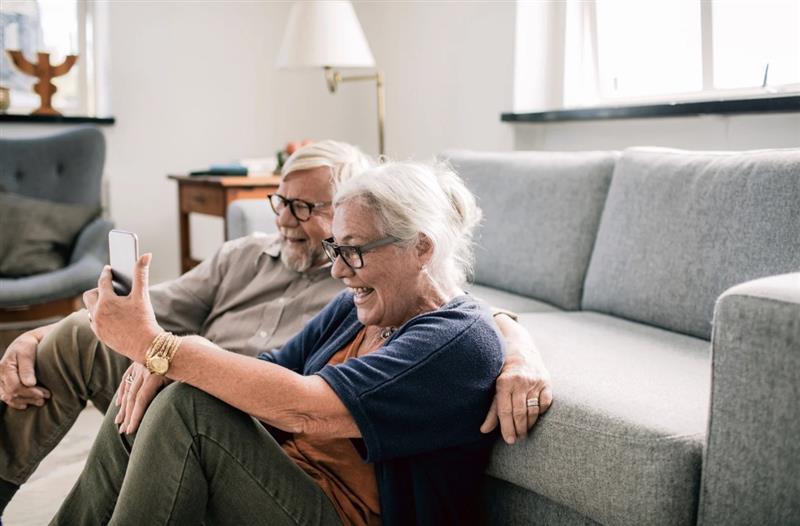
Staying Safe Online: Cybersecurity Tips for Seniors
The internet offers incredible opportunities to stay connected, manage finances, explore interests, and do just about anything you can think of. However, just as you lock your doors or turn off the stove at home, navigating the online world requires a few safety habits.

The good news? You don’t need to be a tech expert to protect yourself online; you just need someone to point you in the right direction. We’re here to help with some tips and tricks you can use while you surf the inter-webs.
Tip #1: Pause Before You Click
Scammers often send emails or texts designed to look legitimate, claiming to be from your bank, a government agency, or even a family member. These messages usually create a sense of urgency, pressuring you to click a link or share personal information in a short time frame with the fear of punishment in some form.
Before acting, pause and ask yourself: Was I expecting this? Does it seem legitimate? If something feels off, delete the message or contact the organization directly using a verified phone number or website.
Tip #2: Use Strong Passwords
Think of your passwords as the keys to your digital accounts. A strong password should be at least 10 to 12 characters long, with a mix of uppercase and lowercase letters, numbers, and symbols. Avoid obvious choices like “password123” or your birth year. Instead, use a memorable phrase and combine it with numbers and symbols.
If managing multiple passwords feels overwhelming, use a password manager. These secure internet tools store all your passwords in one place and can even generate strong passwords for you. If you’re more old- school, writing them down with pen and paper works just as well.
Tip #3: Use Multifactor Authentication (MFA)
Multifactor authentication adds an extra layer of security. It requires two forms of verification (like a password, plus a code sent to your phone) to access your account. Even if someone steals your password, they won’t be able to log in without the second step.
Enable MFA on important accounts, such as banking, email, and social media. It only adds a few seconds to your login process but provides significant protection.
Tip #4: Keep Devices Updated
Software updates often include fixes for security vulnerabilities. Ignoring updates can leave your devices exposed to hackers.
The solution is simple: Just enable automatic updates for your devices, which will ensure your phone, tablet, or computer stays protected without the need for constant reminders.
Tip #5: Verify Before You Trust
Scammers are getting more sophisticated, creating emails and calls that appear to come from trusted organizations. They may even use technology to mimic a loved one’s voice.
If you receive a request for personal or financial information, verify the source. Don’t click on links or share details until you’ve confirmed the legitimacy of the request by contacting the organization directly through official channels.
Tip #6: Be Cautious on Public Wi-Fi
Public Wi-Fi at coffee shops or airports is convenient but less secure than your home network. Cybercriminals can intercept your data on these networks, potentially accessing sensitive information.
Avoid logging into accounts or making purchases when connected to public Wi-Fi. If you must, consider using a Virtual Private Network (VPN), which encrypts your connection and adds a layer of protection.
Tip #7: Protect Personal Information
Treat your Social Security number, bank account details, and other sensitive information like gold. Legitimate organizations will never ask for this information via email, text, or social media.
Be mindful of what you share on social media as well. Avoid posting your full birth date, address, or daily routine, as scammers can use this information to target you. Adjust your privacy settings to control who can see your posts.
Tip #8: Back Up Your Data
Cyberattacks, hardware failures, and accidents can cause you to lose important files. Regularly back up your data to ensure you don’t lose photos, documents, and other critical information.
Use cloud storage services like Google Drive or iCloud, or invest in an external hard drive. For added security, consider using both methods for your most important files.
Build Confidence in the Digital World
Staying safe online isn’t about avoiding technology, but adopting smart habits. Start small: Enable multifactor authentication, create stronger passwords, or set up automatic updates. Each step builds your confidence and strengthens your security.
The internet offers countless benefits for staying connected, exploring new interests, and simplifying everyday tasks. By following these basic cybersecurity practices, you can navigate the digital world with confidence and peace of mind.
Most importantly: Don’t hesitate to ask for help! A trusted family member or tech-savvy friend can guide you through unfamiliar processes. Learning together makes it easier and opens the door for a couple laughs along the way as well.
________________________________________________________________________
Interested in learning more about what the lifestyle at might be like as a resident of a tech-savvy senior living community like Searstone? You can connect with our team by calling 919-234-0400 or by filling out a short contact form right here on our website.